
Documentation Index
Fetch the complete documentation index at: https://openmetadata-feat-feat-2mbfixdeploy.mintlify.app/llms.txt
Use this file to discover all available pages before exploring further.
How to Add Language Support
🌍 Language Support
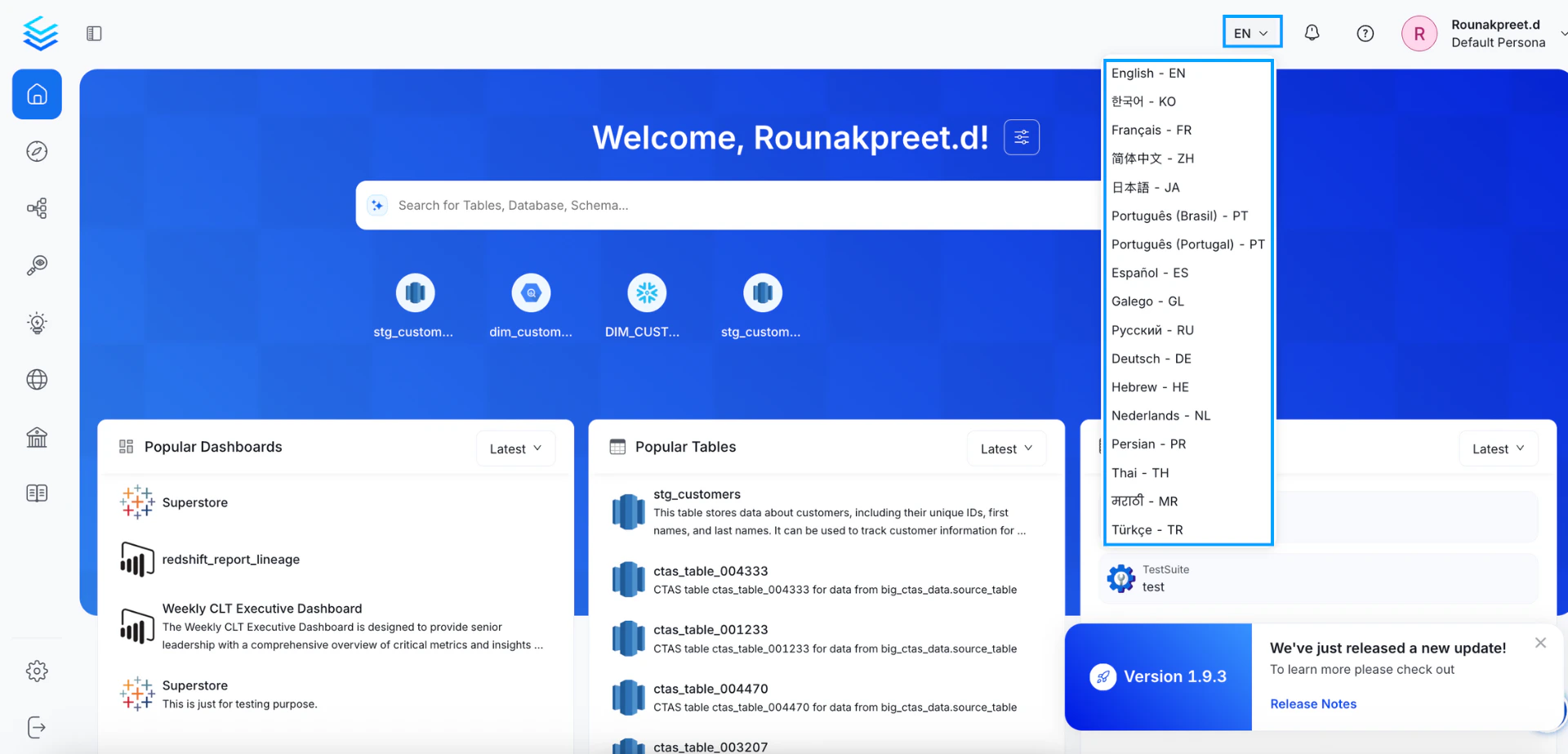
OpenMetadata offers multi-language support to provide a more accessible and localized experience for global teams. Users can change the application language from the top-right corner of the UI by selecting from a list of supported languages.✅ Currently Supported Languages
The following languages are available out of the box:- English (EN)
- Korean (KO)
- French (FR)
- Simplified Chinese (ZH-CN)
- Traditional Chinese (ZH-TW)
- Japanese (JA)
- Portuguese (Brazil) – PT-BR
- Portuguese (Portugal) – PT-PT
- Spanish (ES)
- Galician (GL)
- Russian (RU)
- German (DE)
- Hebrew (HE)
- Dutch (NL)
- Persian (PR)
- Thai (TH)
- Marathi (MR)
- Turkish (TR)
📁 Adding or Customizing Language Support
If you’d like to:- Contribute a new language,
- Customize existing translations,
- Or enable internal company-specific terms,
locale/languages directory of the OpenMetadata frontend codebase.
Each language is structured like this:
react-i18next and i18next, please follow the steps below:
Create a Language JSON File
First, create a new JSON file for the language you want to add in theopenmetadata-ui/src/main/resources/ui/src/locale/languages directory.
For example, if you want to add support for the French language, you can create a file called fr-fr.json in the languages directory:
Sync the Language File with the Primary Language
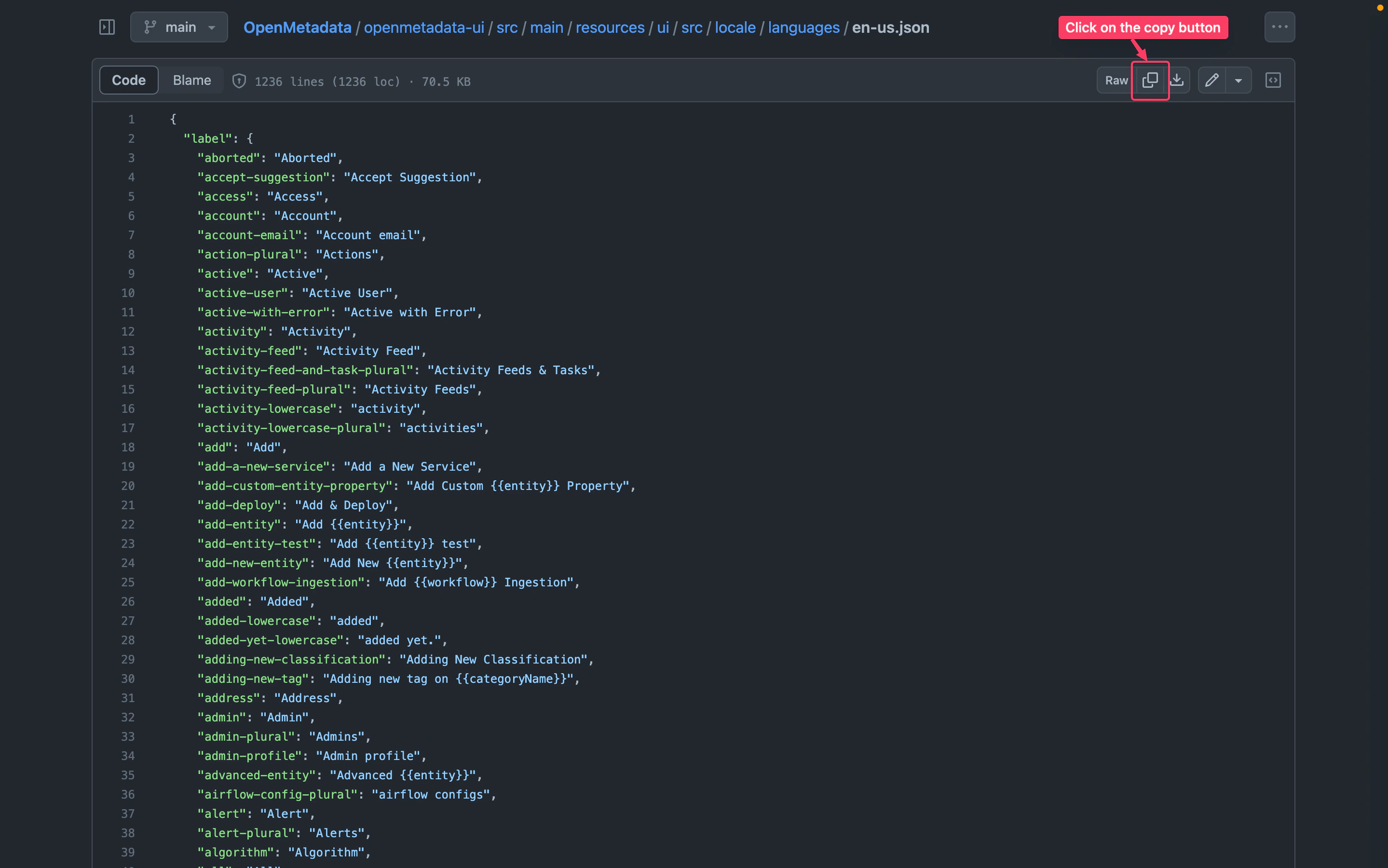
To ensure consistency with our primary language, which isen-us, it is necessary to synchronize any newly added language files. This can be done by copying the content from the en-us.json file and translating it accordingly.
To copy the contents of en-us.json and add it to your translation JSON file, follow these steps:
- Go to en-us.json
- Copy the content of file
- Open your translation JSON file.
- Paste the copied text into your translation JSON file.
How to Add Language Support for Entities Documentation
Documentation for entities resides in theopenmetadata-ui/src/main/resources/ui/src/public/locales directory. Our primary language is en-US, so you can refer to it and create the same hierarchy for your language.
To add documentation in the zh-CN language, you can simply copy the en-US directory and rename it to zh-CN. Then, update the content of the files according to the zh-CN language.
To find the supported language codes, you can refer to this page.