
Documentation Index
Fetch the complete documentation index at: https://openmetadata-feat-feat-2mbfixdeploy.mintlify.app/llms.txt
Use this file to discover all available pages before exploring further.
Sample Data Handling Using PII Tags
In OpenMetadata, sensitive information is protected through automatic masking of sample data when PII (Personally Identifiable Information) tags are applied.How It Works
- If a PII tag is applied to a specific column:
- Only that column’s sample data will be masked and displayed as
******in the UI.
- Only that column’s sample data will be masked and displayed as
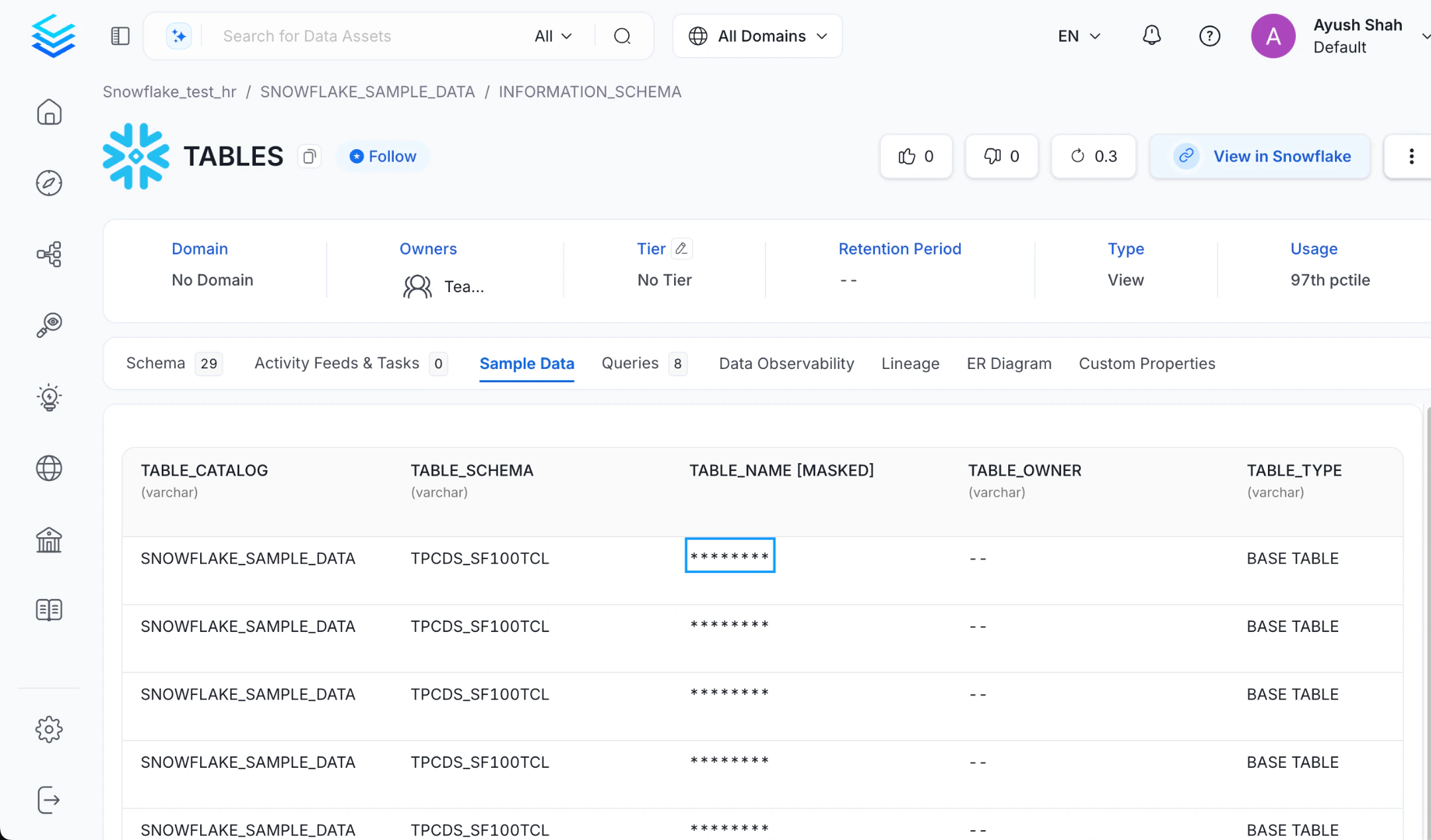
- If a PII tag is applied at the table level:
- All columns within that table will have their sample data masked automatically.
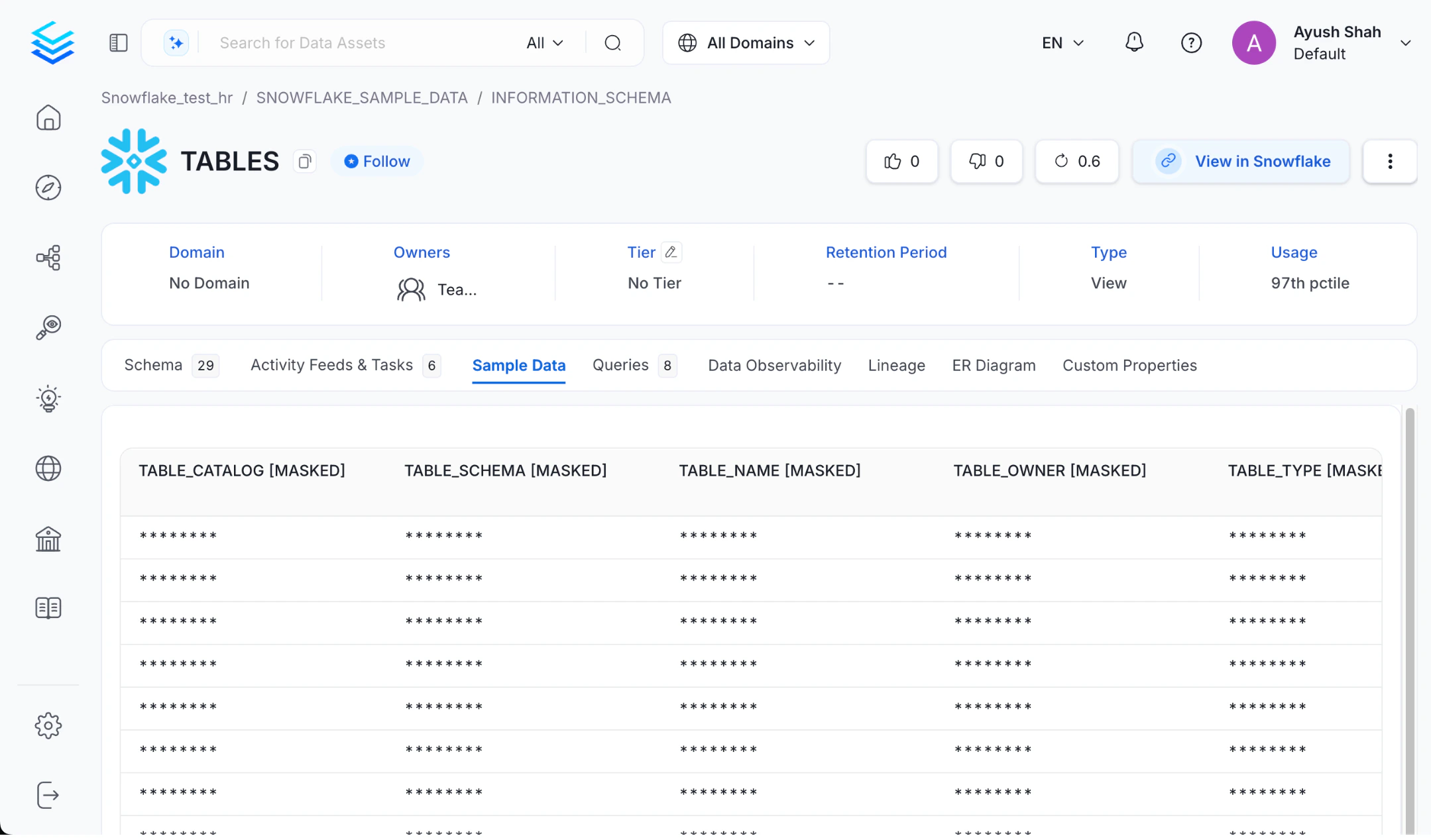
Example
| Column Name | Tag | Sample Data Displayed |
|---|---|---|
| PII.Sensitive | ****** | |
| phoneNumber | PII.Sensitive | ****** |
| age | (None) | 25 |
| Column Name | Tag | Sample Data Displayed |
|---|---|---|
| Inherited from Table | ****** | |
| phoneNumber | Inherited from Table | ****** |
| age | Inherited from Table | ****** |
How to Apply PII Tags
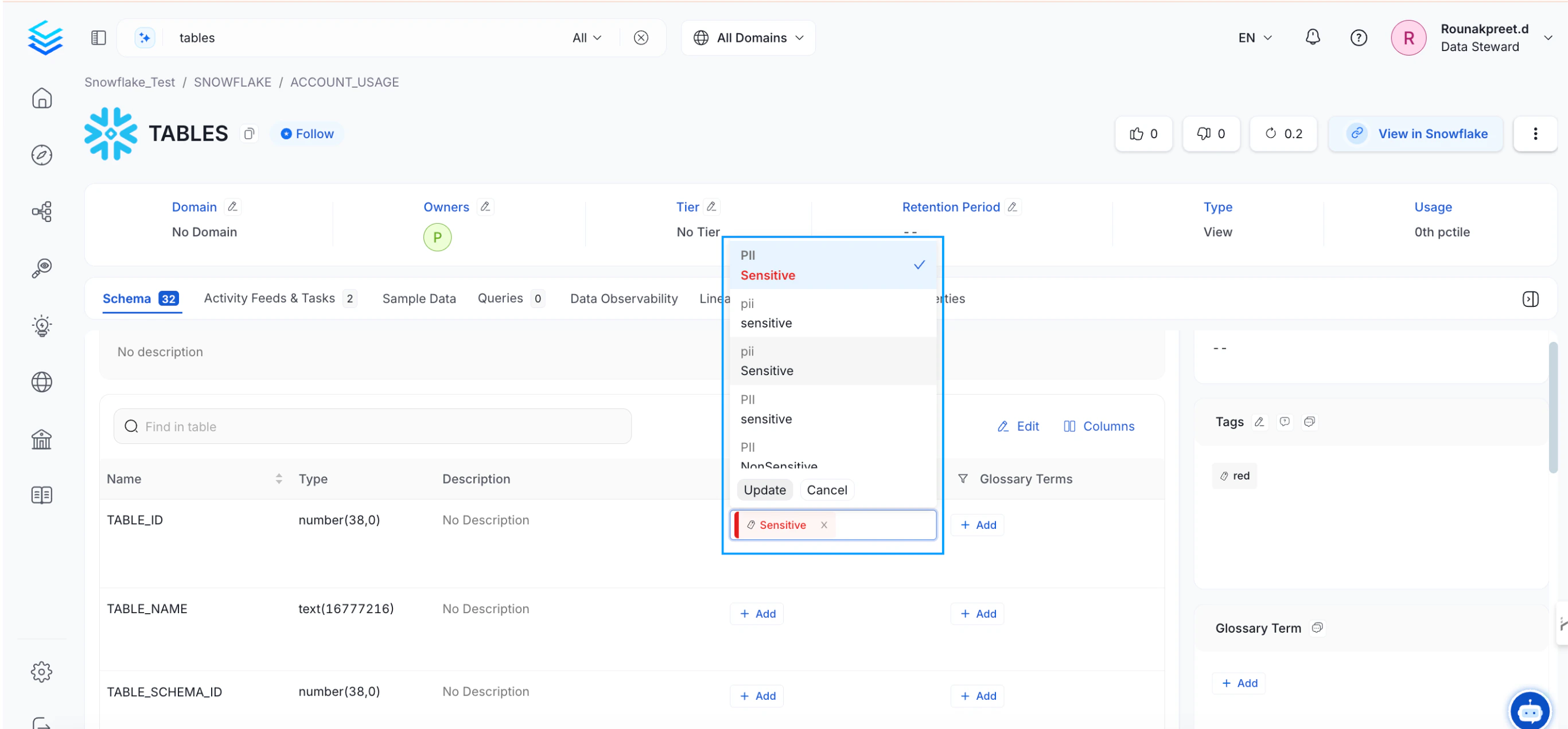
- Navigate to the column or table in the OpenMetadata UI.
- Apply the PII.Sensitive tag via the tagging options.
- Ensure auto-classification or manual tagging captures the correct columns during ingestion.