Documentation Index
Fetch the complete documentation index at: https://openmetadata-feat-feat-2mbfixdeploy.mintlify.app/llms.txt
Use this file to discover all available pages before exploring further.
Getting Started with Goose Desktop
Configure OpenMetadata’s MCP Server to interact with block’s AI agent Goose.Prerequisites
For this guide, you will need:- nvm and npx/node version 22
- OpenMetadata v1.8.0 or later- You can upgrade your version of OpenMetadata with this guide
- Goose Desktop
- OpenMetadata MCP Application and Personal Access Token
Adding your OpenMetadata MCP Server to Goose Desktop
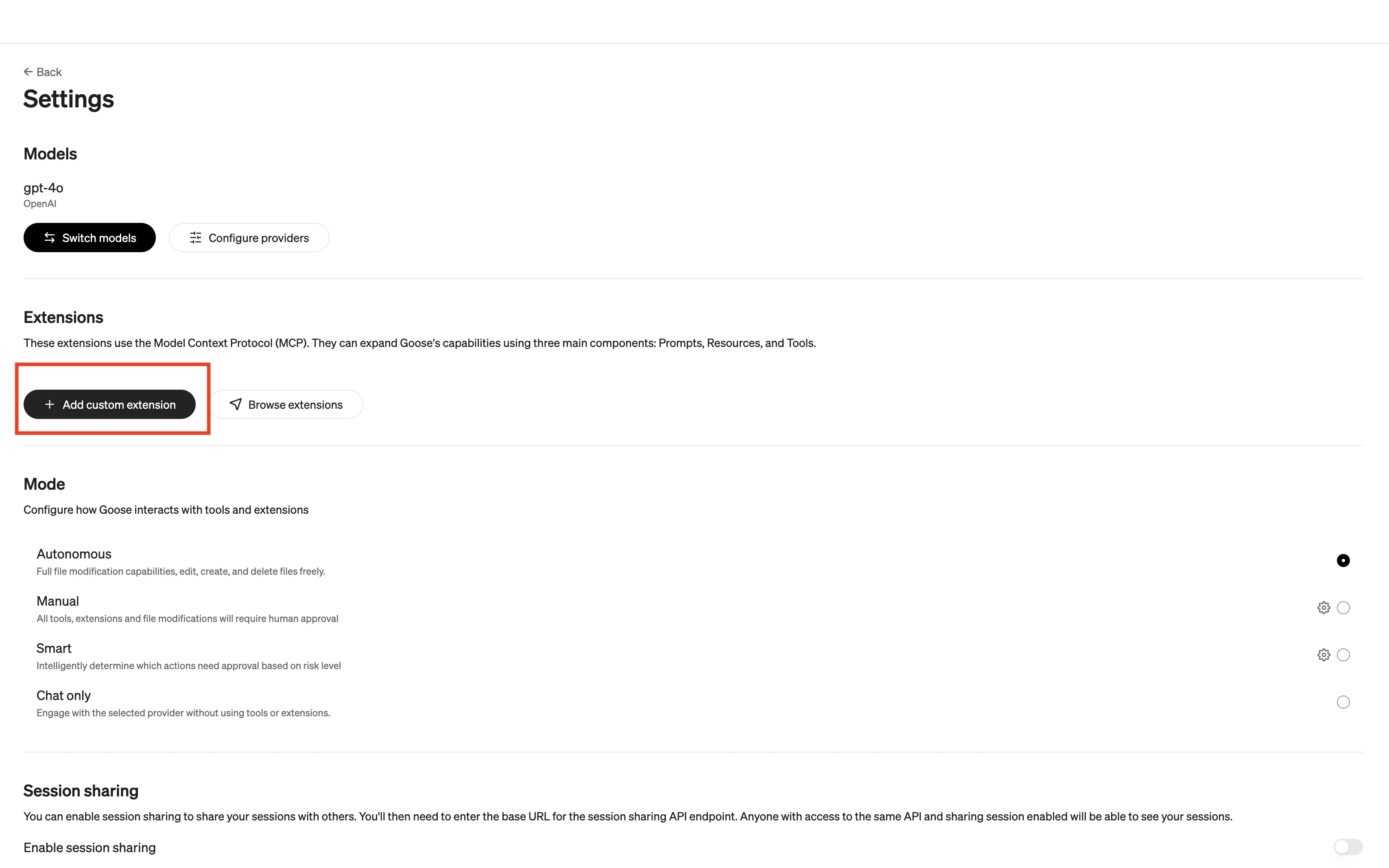
This how-to guide uses Goose Desktop for macOS. Make sure that you already have an LLM Provider configured before prompting.- Navigate to Goose Desktop’s Settings, then under Extensions, select +Add custom extension.
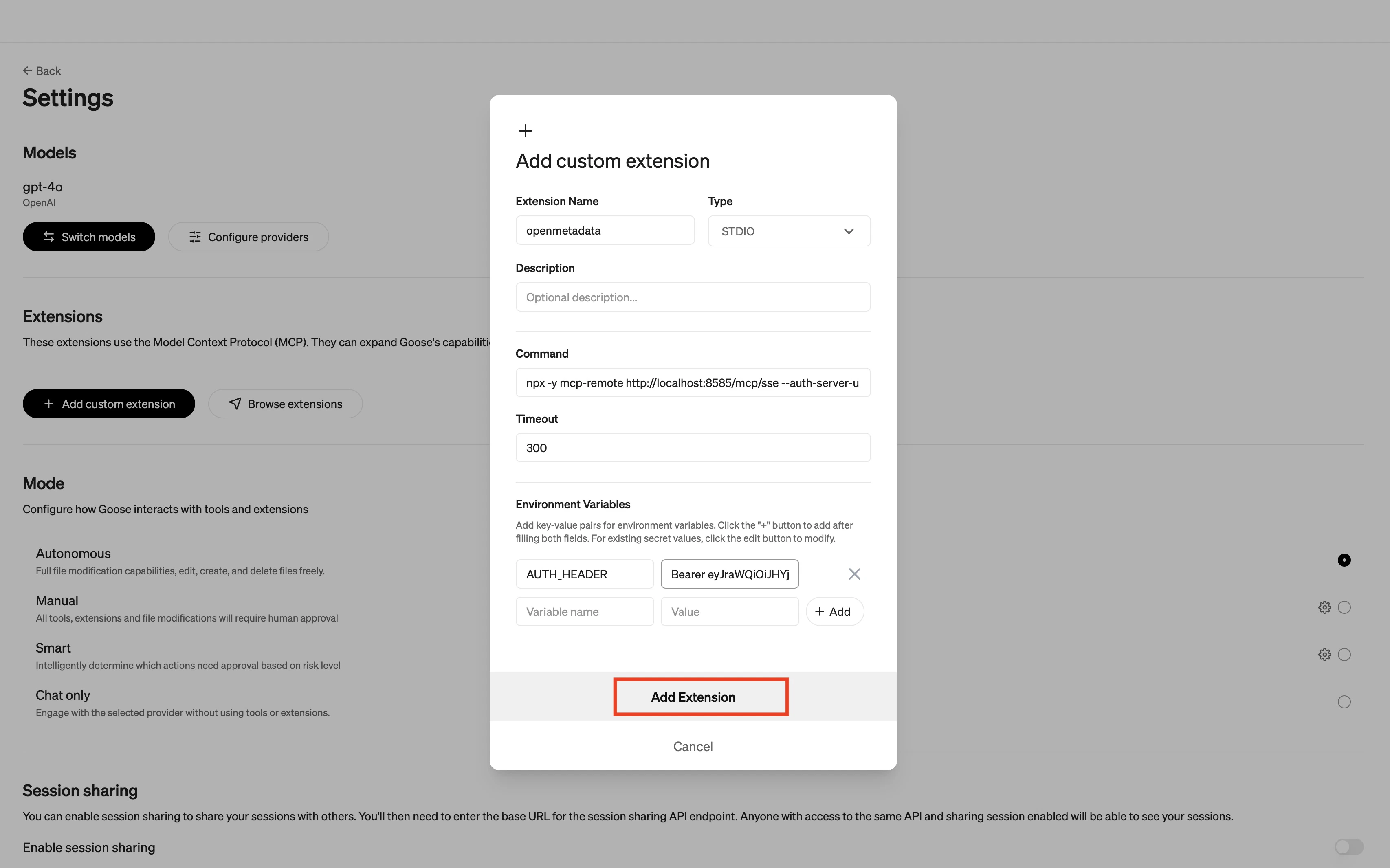
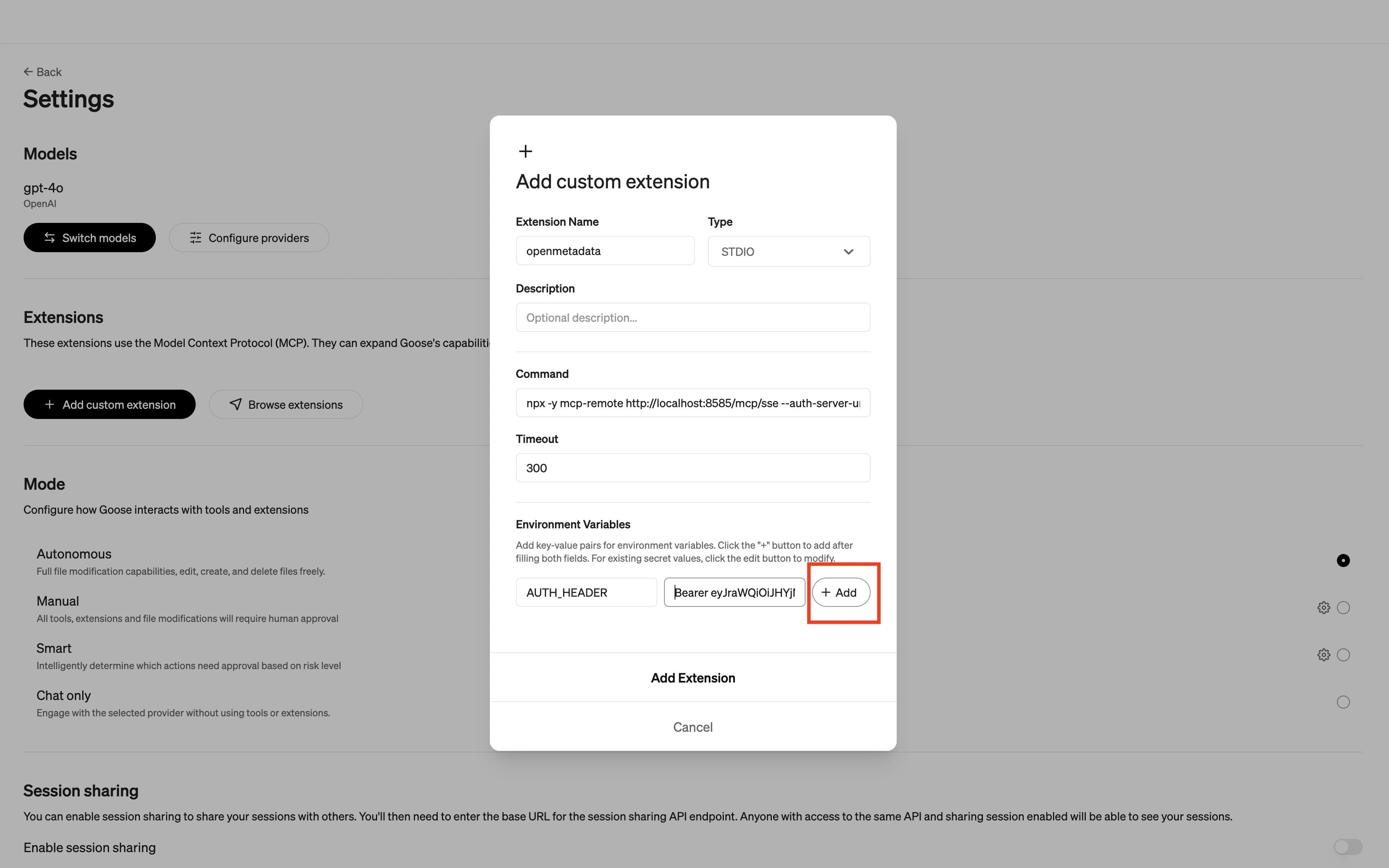
- The custom extension should have the following information:
- Extension Name
OpenMetadata - Command paste the following command:
- If you are running it locally, your command will look like this:
- If you are running it locally, your command will look like this:
- Add 1 Environment Variable
- Variable name is
AUTH_HEADER - Value is
Bearer <YOUR_OpenMetadata_PAT>
- Variable name is
- Extension Name
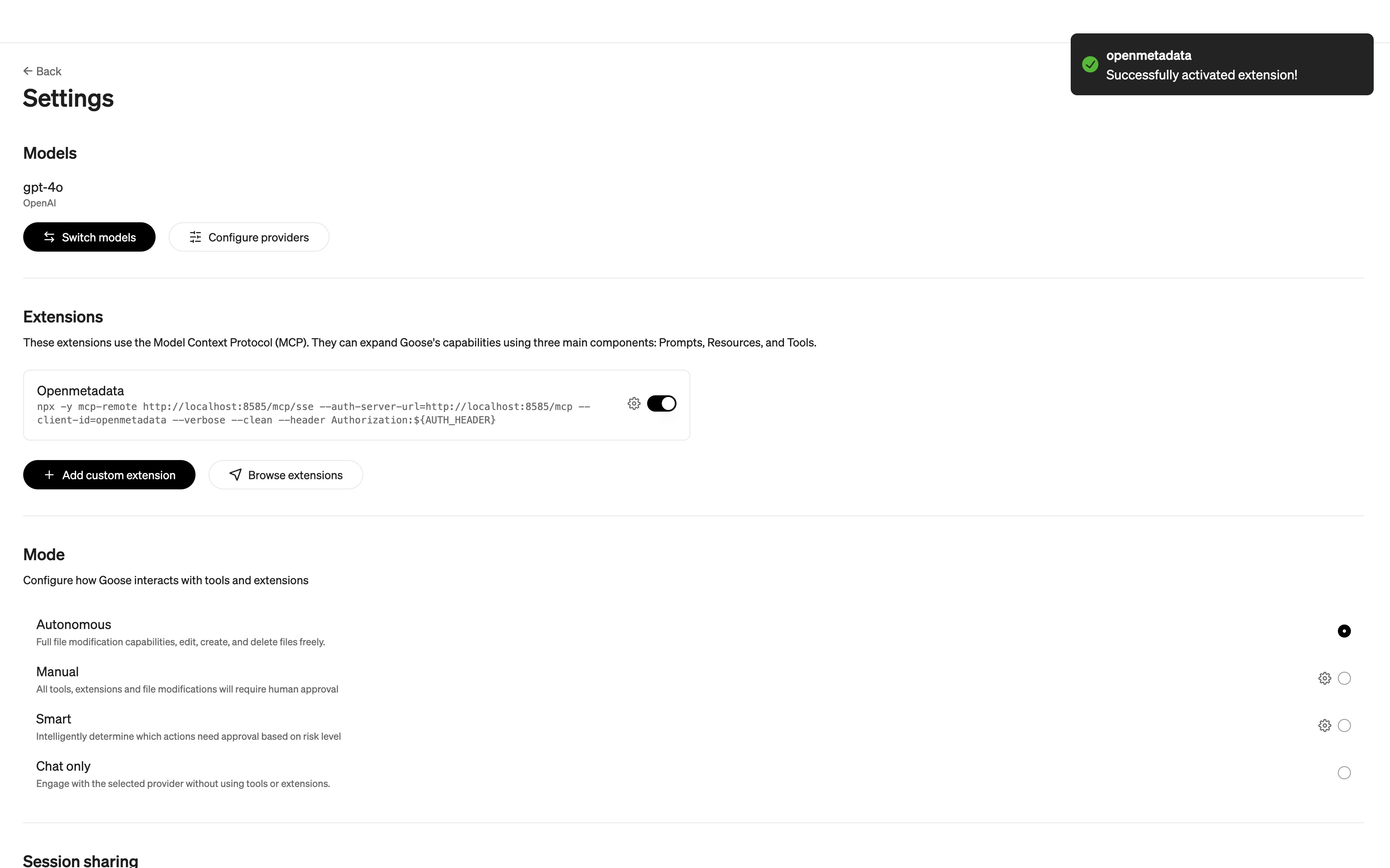
- Select Add Extension