
Documentation Index
Fetch the complete documentation index at: https://openmetadata-feat-feat-2mbfixdeploy.mintlify.app/llms.txt
Use this file to discover all available pages before exploring further.
Bare Metal Upgrade Steps
Follow the steps below to upgrade your OpenMetadata bare-metal deployment. Before proceeding, make sure you have completed the prerequisites.Upgrade process
Step 1: Download the binaries for the release you want to install
OpenMetadata release binaries are maintained as GitHub releases. To download a specific release binary:- Visit github.com/open-metadata/OpenMetadata/releases. The latest release will be at the top of this page.
- Locate the Assets’ section for the release you want to upgrade to.
- Download the release binaries. The release binaries will be in a compressed tar file named using the following
convention,
openmetadata-x.y.z.tar.gzWherex,y,zare the major, minor, and patch release numbers, respectively.
Step 2: Extract the release binaries from the download file
Using the command-line tool or application of your choice, extract the release binaries. For example, to extract usingtar, run the following command.
.tar and .gz extensions.
Step 3: Navigate into the directory created by extracting the release binaries
Change into the new directory by issuing a command similar to the following.Step 4: Stop the OpenMetadata server
OpenMetadata ships with a few control scripts. One isopenmetadata.sh. This script enables you to start, stop, and
perform other deployment operations on the OpenMetadata server.
Most OpenMetadata releases will require you to migrate your data to updated schemas.
Before you migrate your data to the new release you are upgrading to, stop the OpenMetadata server from the
directory of your current installation by running the following command:
Step 5: Migrate the database schemas and ElasticSearch indexes
Thebootstrap/openmetadata-ops.sh script enables you to perform a number of operations on the OpenMetadata database (in
MySQL) and index (in Elasticsearch).
Step 6: Restart the OpenMetadata server
Once you’ve dropped and recreated your data in the new version, restart the OpenMetadata server using the new release binaries. You may restart the server by running the following command.Post-Upgrade Steps
Reindex
With UI
Go toSettings -> Applications -> Search Indexing
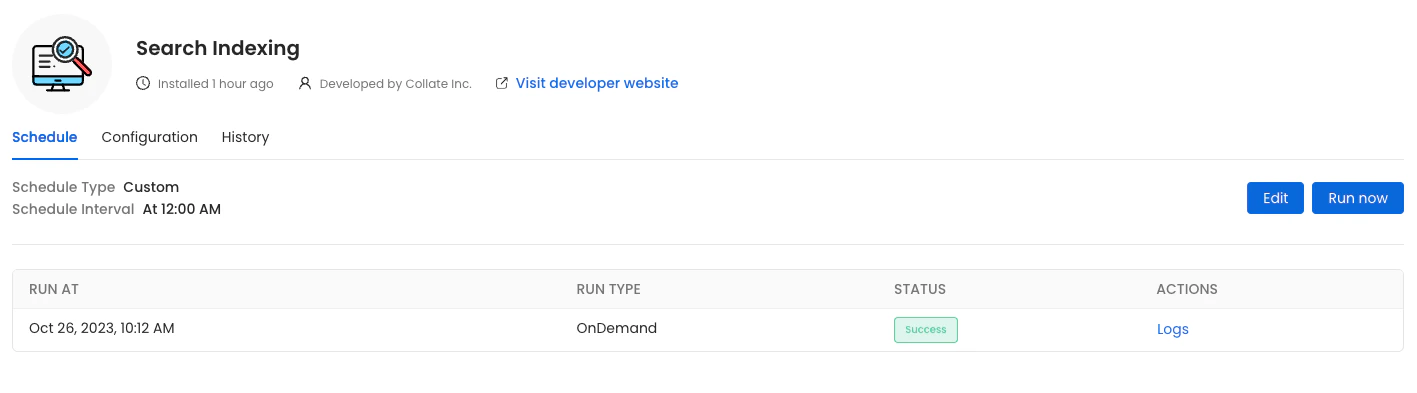
Run Now, ensure that the Recreate Indexes option is enabled to allow rebuilding the indexes as needed.
In the configuration section, you can select the entities you want to reindex.
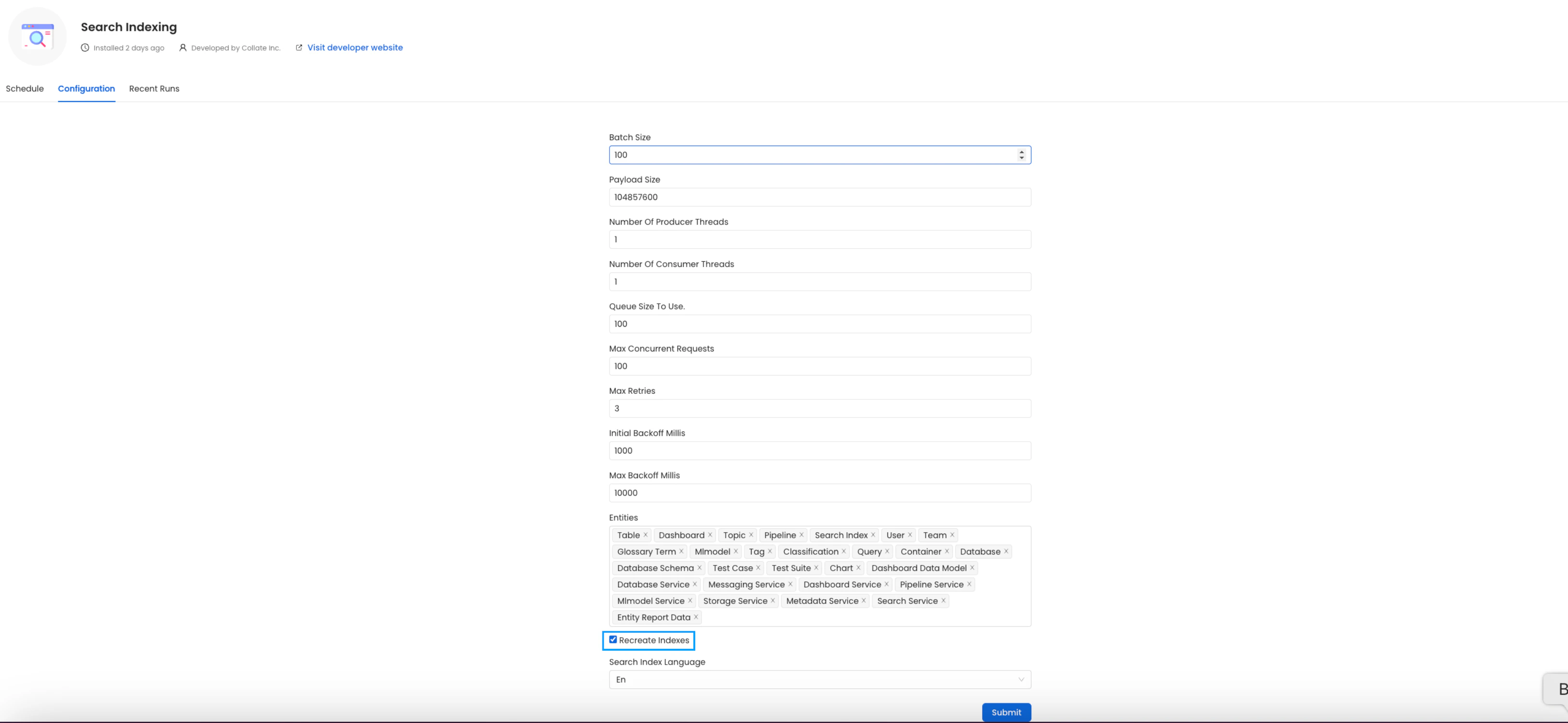
All the entities.
(Optional) Update your OpenMetadata Ingestion Client
If you are running the ingestion workflows externally or using a custom Airflow installation, you need to make sure that the Python Client you use is aligned with the OpenMetadata server version. For example, if you are upgrading the server to the versionx.y.z, you will need to update your client with
With Kubernetes
Follow these steps to reindex using the CLI:- List the CronJobs Use the following command to check the available CronJobs:
- Create a Job from a CronJob Create a one-time job from an existing CronJob using the following command:
- Check the Job Status Verify the status of the created job with:
- view logs To view the logs use the below command.
plugin parameter is a list of the sources that we want to ingest. An example would look like this openmetadata-ingestion[mysql,snowflake,s3]==1.2.0.
You will find specific instructions for each connector in the Connectors section.
Moreover, if working with your own Airflow deployment - not the openmetadata-ingestion image - you will need to upgrade
as well the openmetadata-managed-apis version:
Re Deploy Ingestion Pipelines
With UI
Go toSettings -> {Services} -> {Databases} -> Pipelines
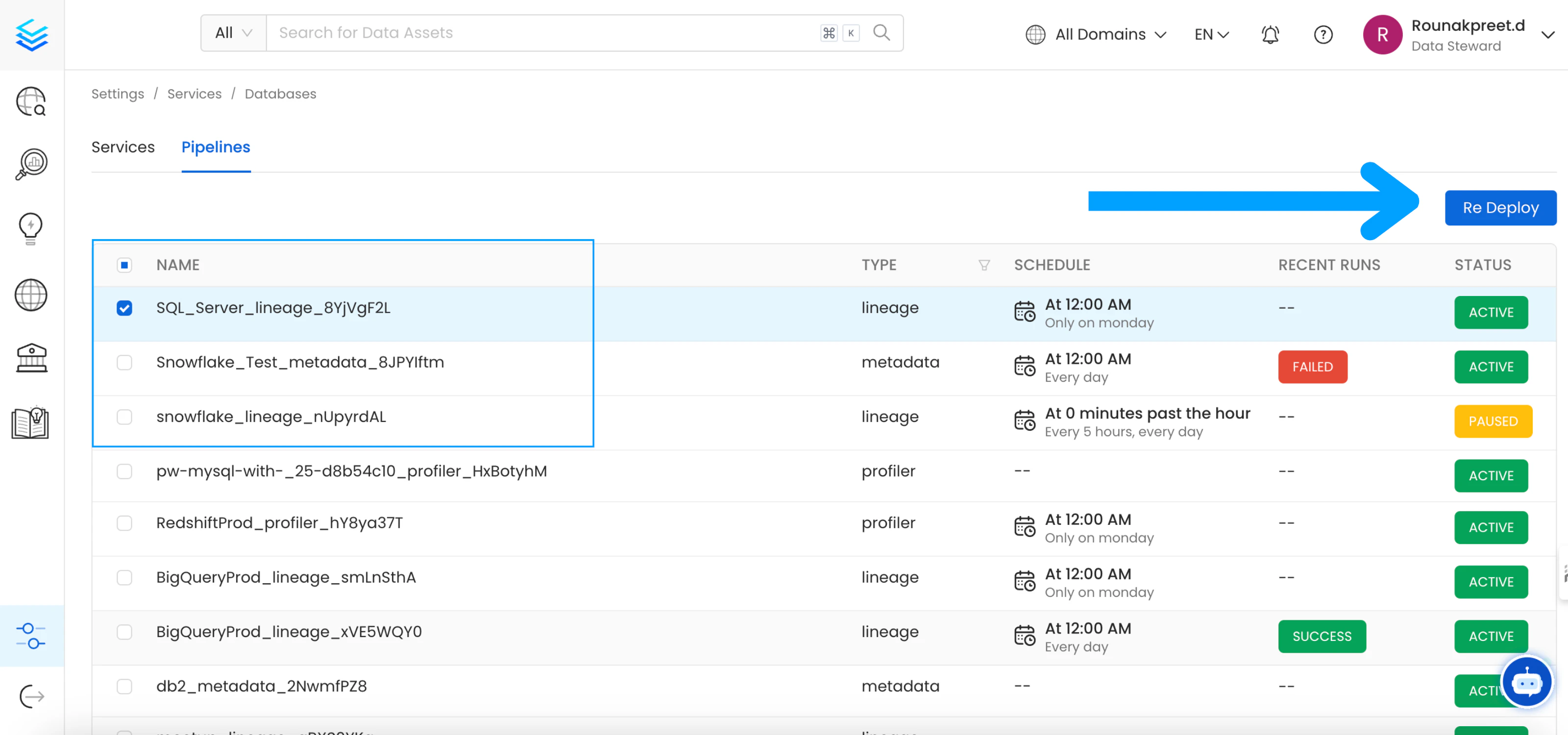
Re Deploy.
With Kubernetes
Follow these steps to deploy pipelines using the CLI:- List the CronJobs Use the following command to check the available CronJobs:
- Create a Job from a CronJob Create a one-time job from an existing CronJob using the following command:
- Check the Job Status Verify the status of the created job with:
- view logs To view the logs use the below command.
Openmetadata-ops Script
Overview
Theopenmetadata-ops script is designed to manage and migrate databases and search indexes, reindex existing data into Elastic Search or OpenSearch, and redeploy service pipelines.
Usage
Commands
- analyze-tables
- changelog
- check-connection
- deploy-pipelines
- drop-create
- info
- migrate
- migrate-secrets
- reindex
- repair
- validate