
Documentation Index
Fetch the complete documentation index at: https://openmetadata-feat-feat-2mbfixdeploy.mintlify.app/llms.txt
Use this file to discover all available pages before exploring further.
Data Insights Application (Troubleshooting)
If you are experiencing any of the following issues in Data Insights Application, follow the steps below to diagnose and resolve the problem.- Insights menu returns no results.
- KPI charts do not display.
- Data Insights reports show no data.
- Filtering by “Yesterday” or “Last 3 Days” yields no results.
Troubleshooting Steps
1. Verify Data Insights Application Installation
Ensure that the Data Insights application is installed:- Navigate to
Settings>Applications. - Check if Data Insights Application is listed.
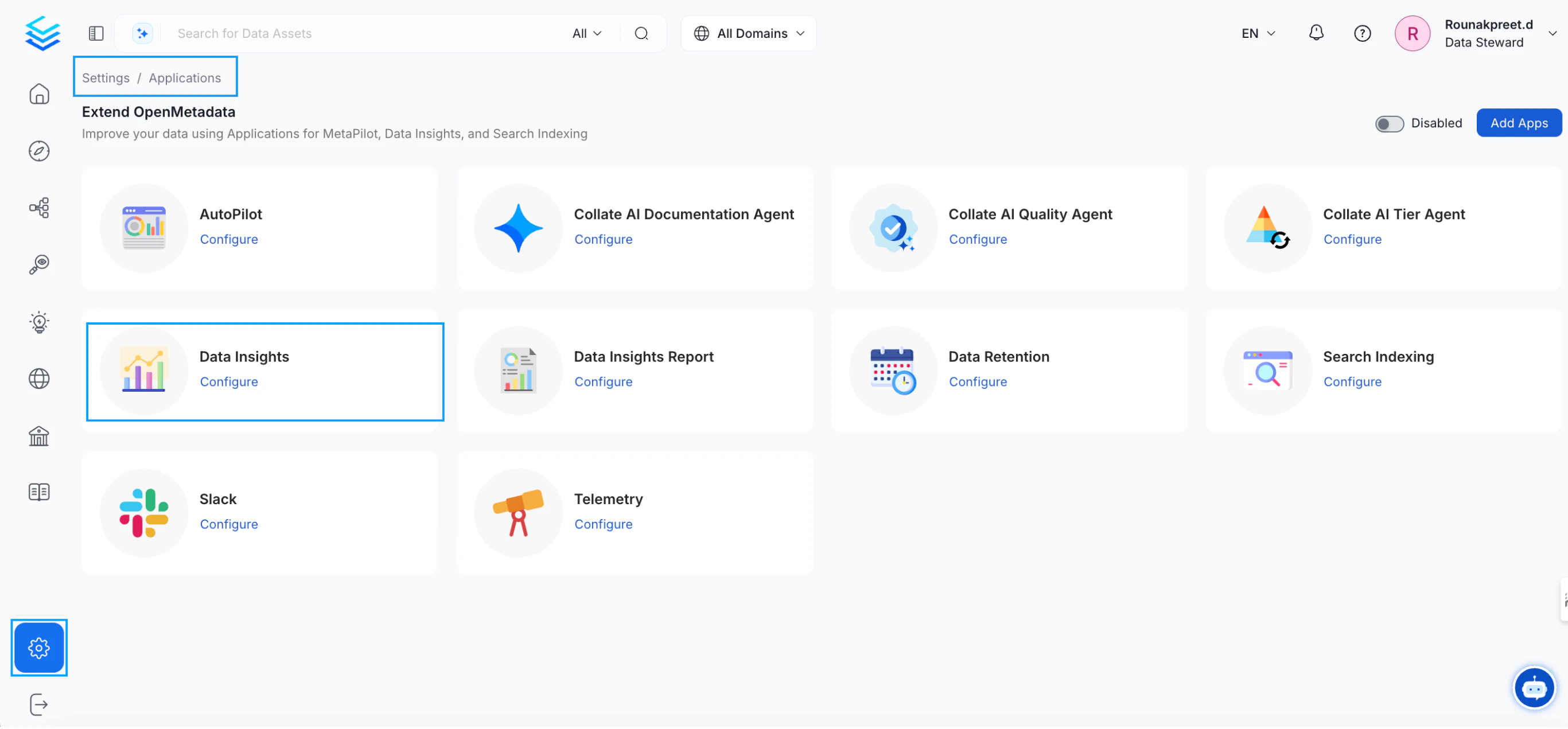
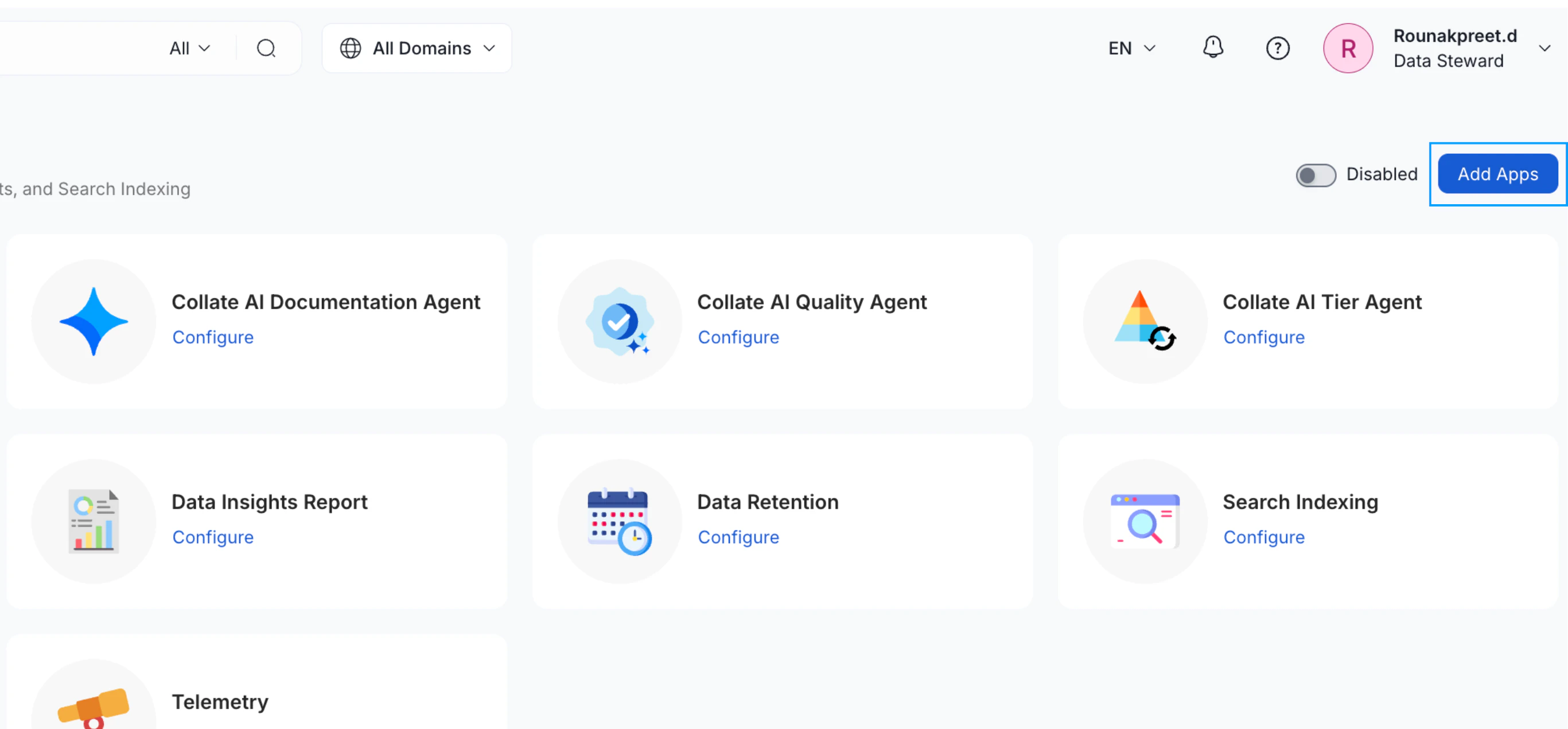
- If not, click
Add Appsand install Data Insights Application.
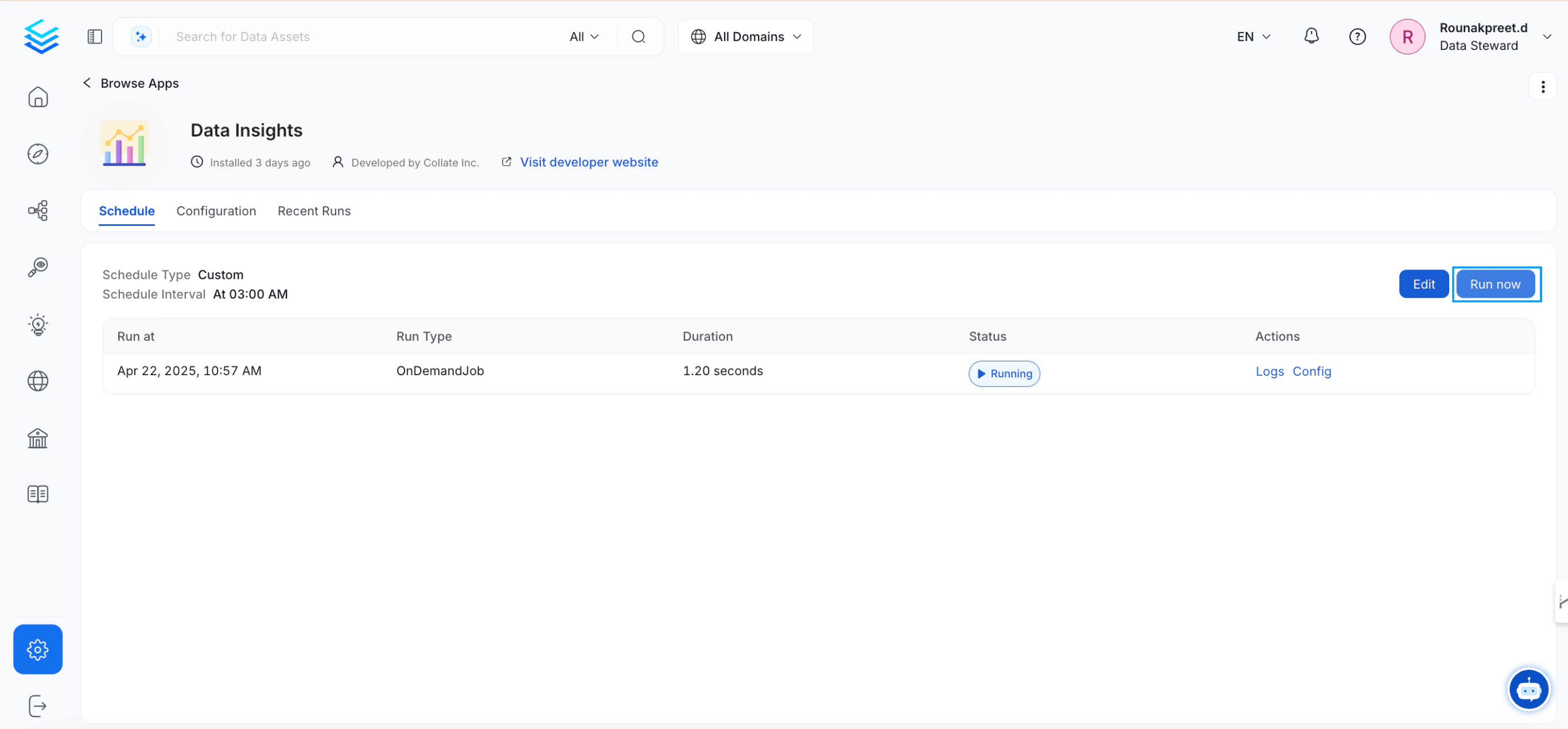
2. Run the Data Insights Application
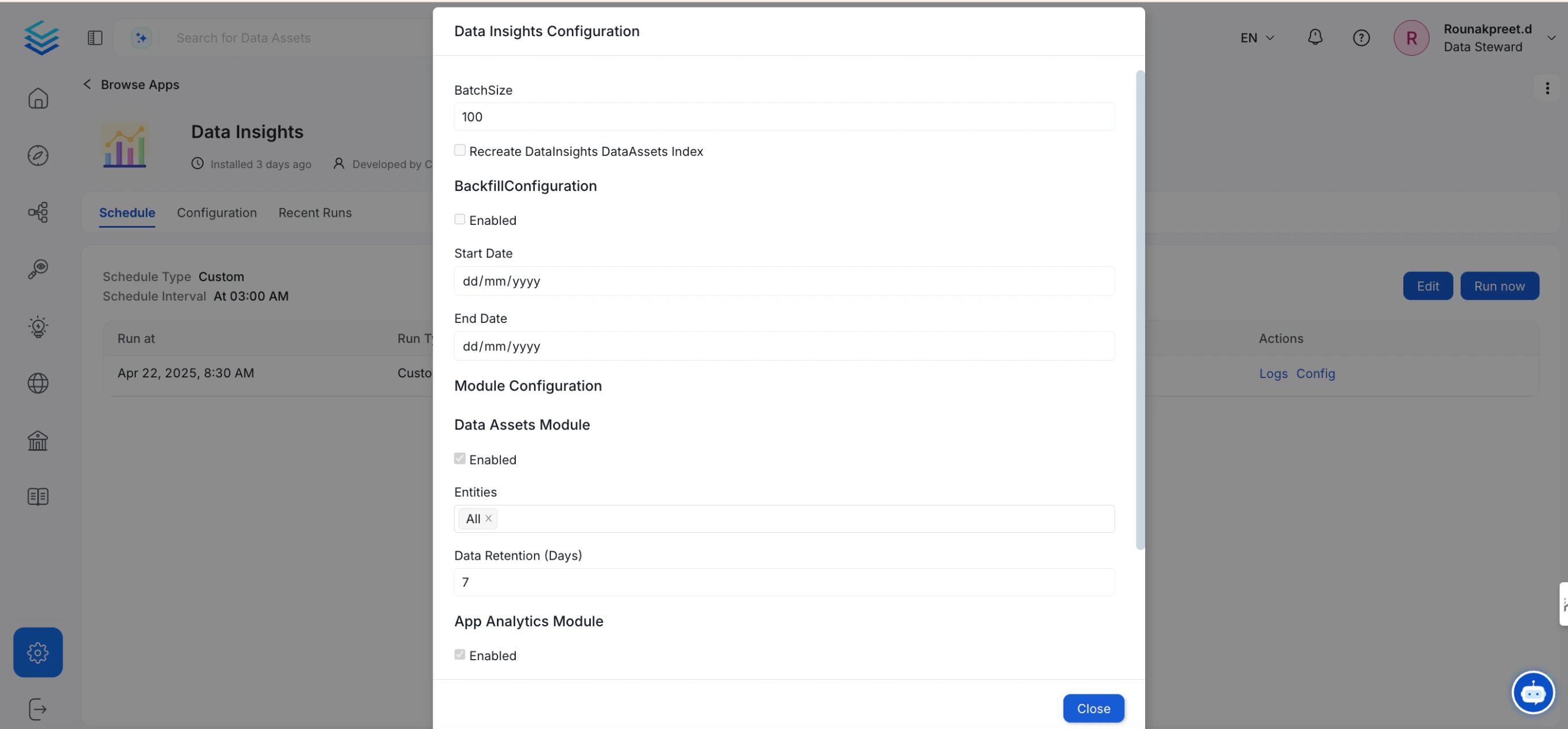
- Click
Configureto set parameters.
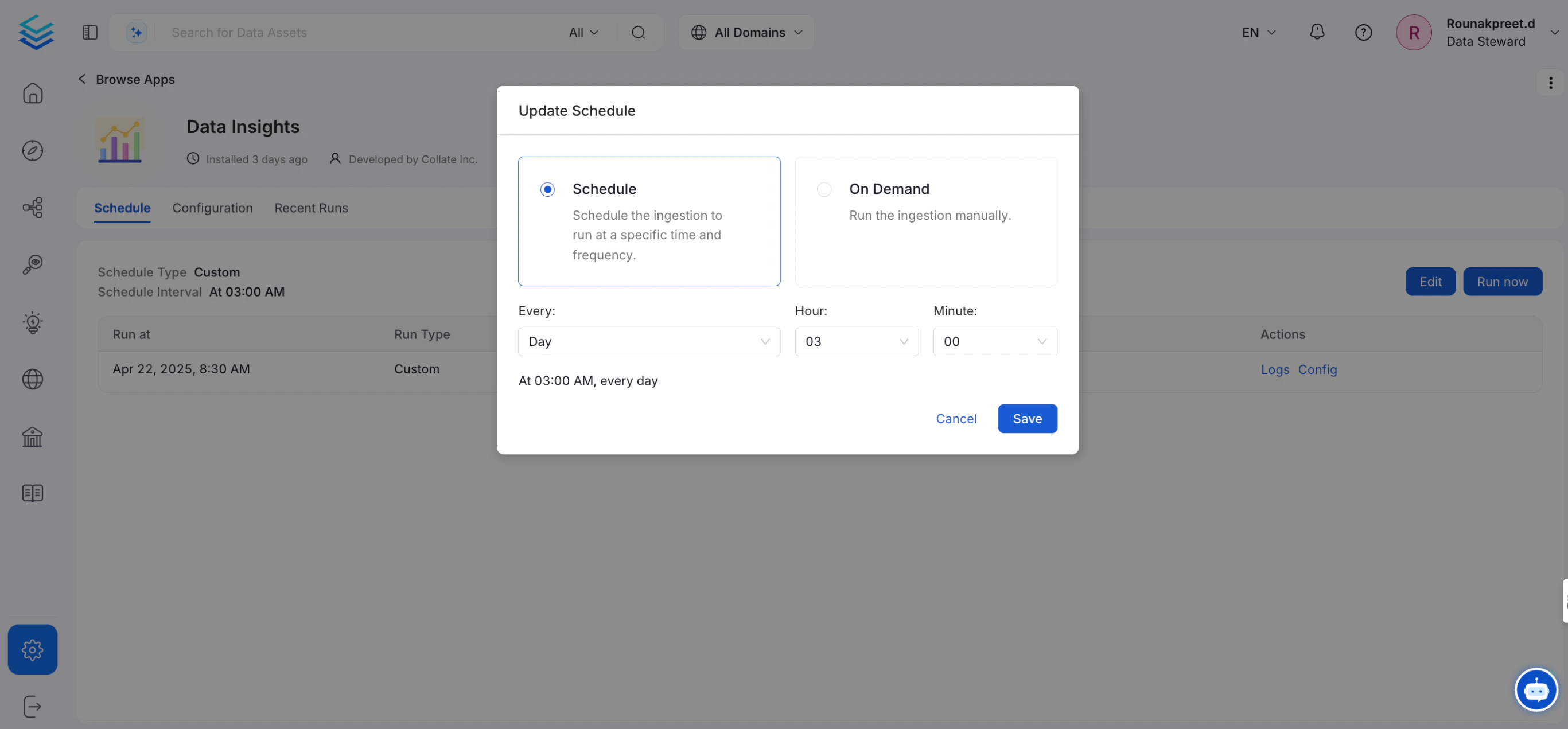
- Click
Scheduleto define execution timing.
- Click
Run Nowto execute the Data Insights workflow.
3. Enable Backfill and Recreate Index Options
When configuring the Data Insights application:- Enable Backfill Configuration.
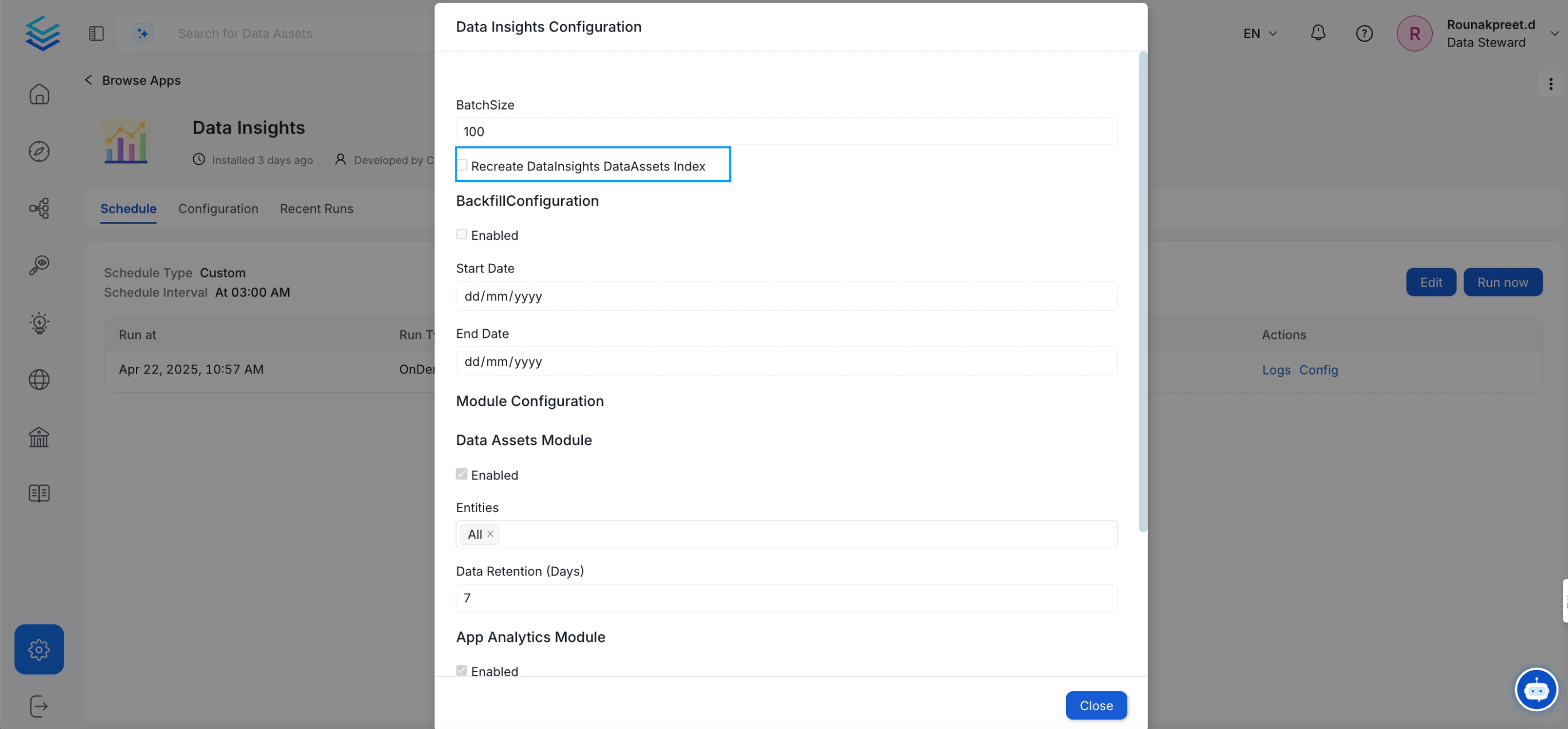
- Enable Recreate DataInsights DataAssets Index.