
Documentation Index
Fetch the complete documentation index at: https://openmetadata-feat-feat-2mbfixdeploy.mintlify.app/llms.txt
Use this file to discover all available pages before exploring further.
External Storage for Sample Data
While running the auto-classification workflow if you have enabled theGenerate Sample Data flag in your profiler configuration, sample data will be ingested for all the tables included in the auto-classification workflow. This data is a randomly sampled from the table and by default would contain 50 rows of data, which is now configurable.
With OpenMetadata release 1.2.1, a new capability allows users to take advantage of this sample data by uploading
it to an S3 bucket in Parquet format. This means that the random sample, once generated, can be stored in a standardized,
columnar storage format, facilitating efficient and scalable data analysis.
To leverage this functionality, follow the documentation provided for uploading sample data to an S3 bucket in Parquet
format as part of your profiling workflow.
Configure the Sample Data Storage Credentials
To upload the sample data on you need to first configure your storage account credentials, and there are multiple ways how you can do this.Storage Credentials at the Database Service
You can configure the Sample Data Storage Credentials at Database Service level while creating a new service or editing connection details of an existing Database Service. You will provide the storage credential details in advance config section of connection details form.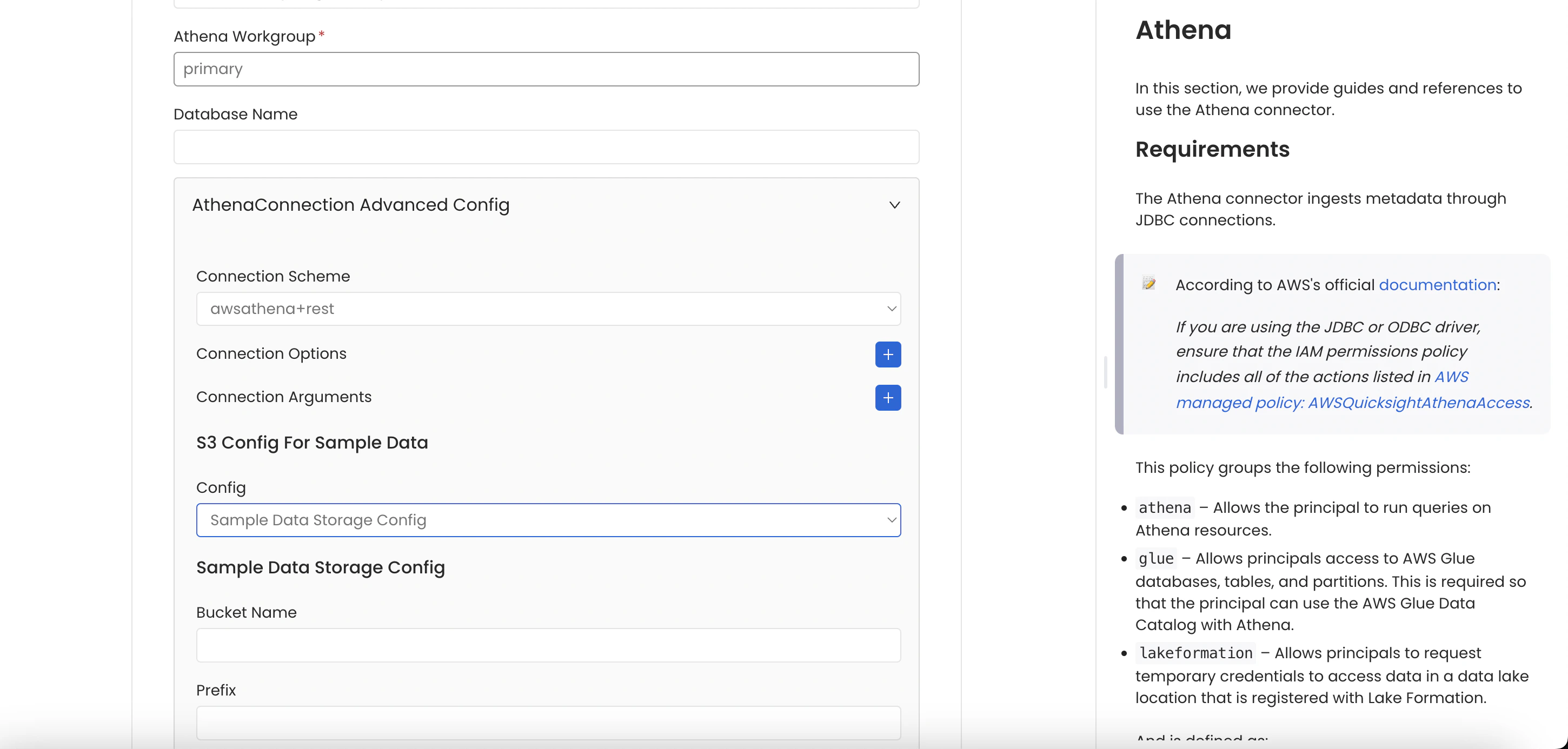
Storage Credentials at the Database
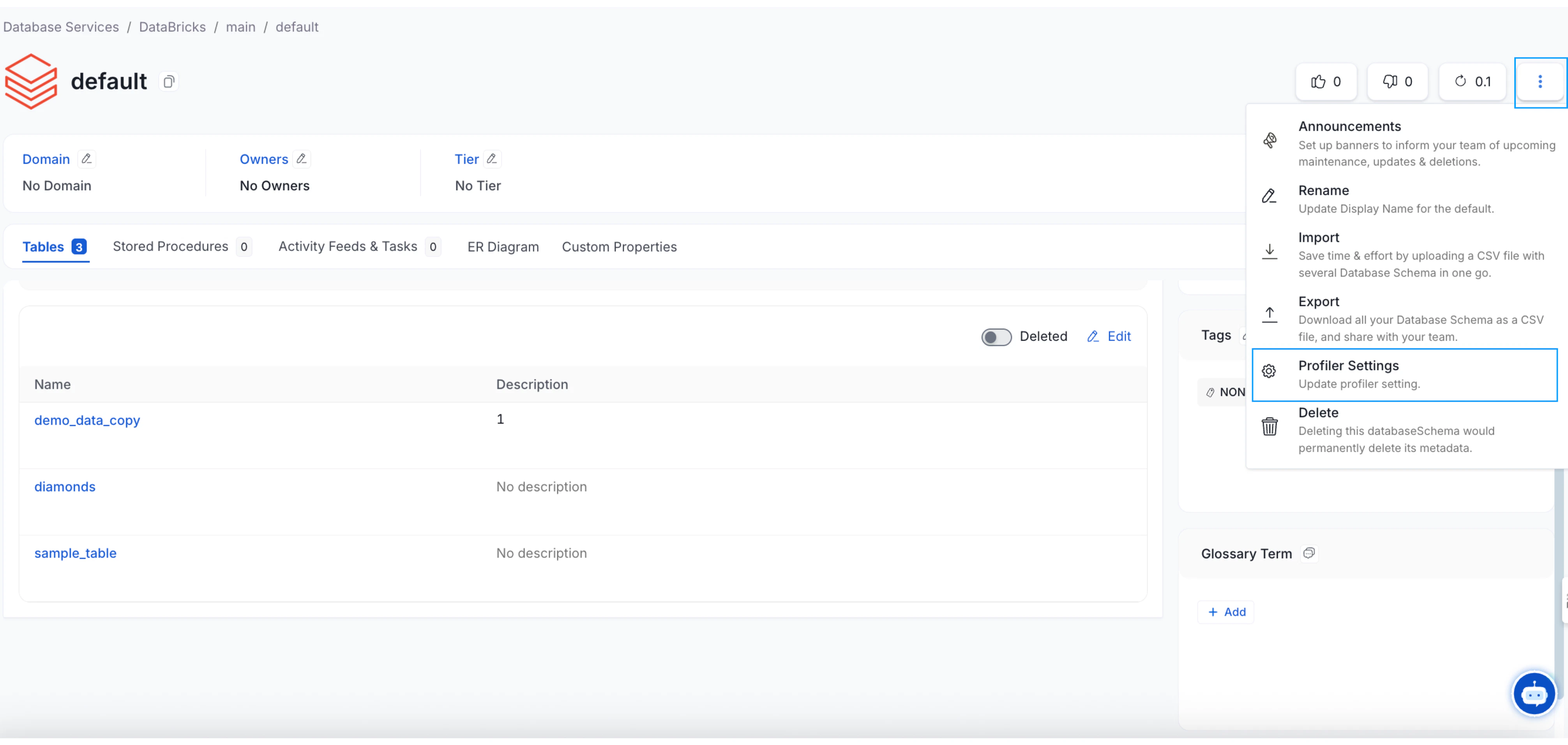
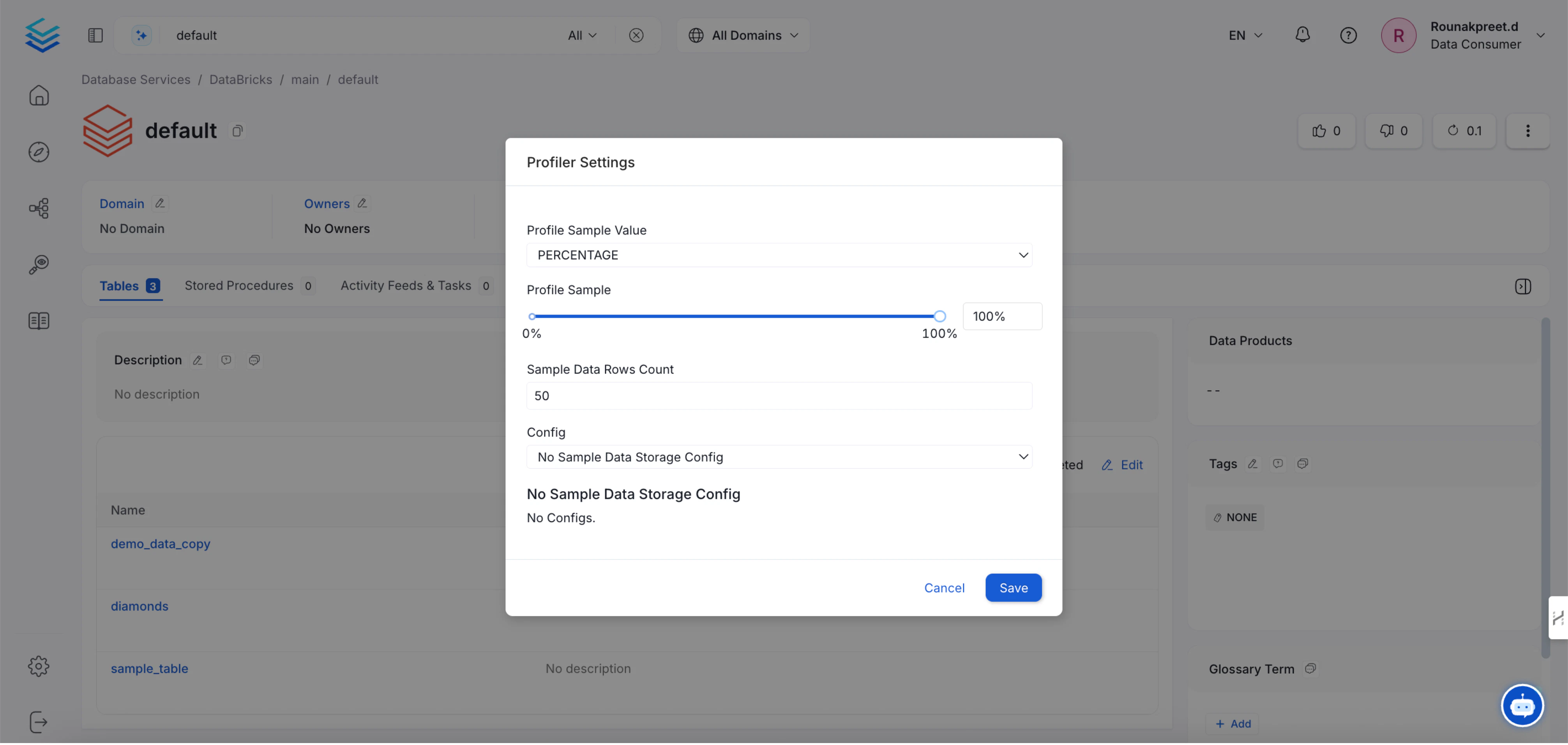
You can configure the Sample Data Storage Credentials at the Database level via theProfiler Settings option from the menu.
Storage Credentials at the Database Schema
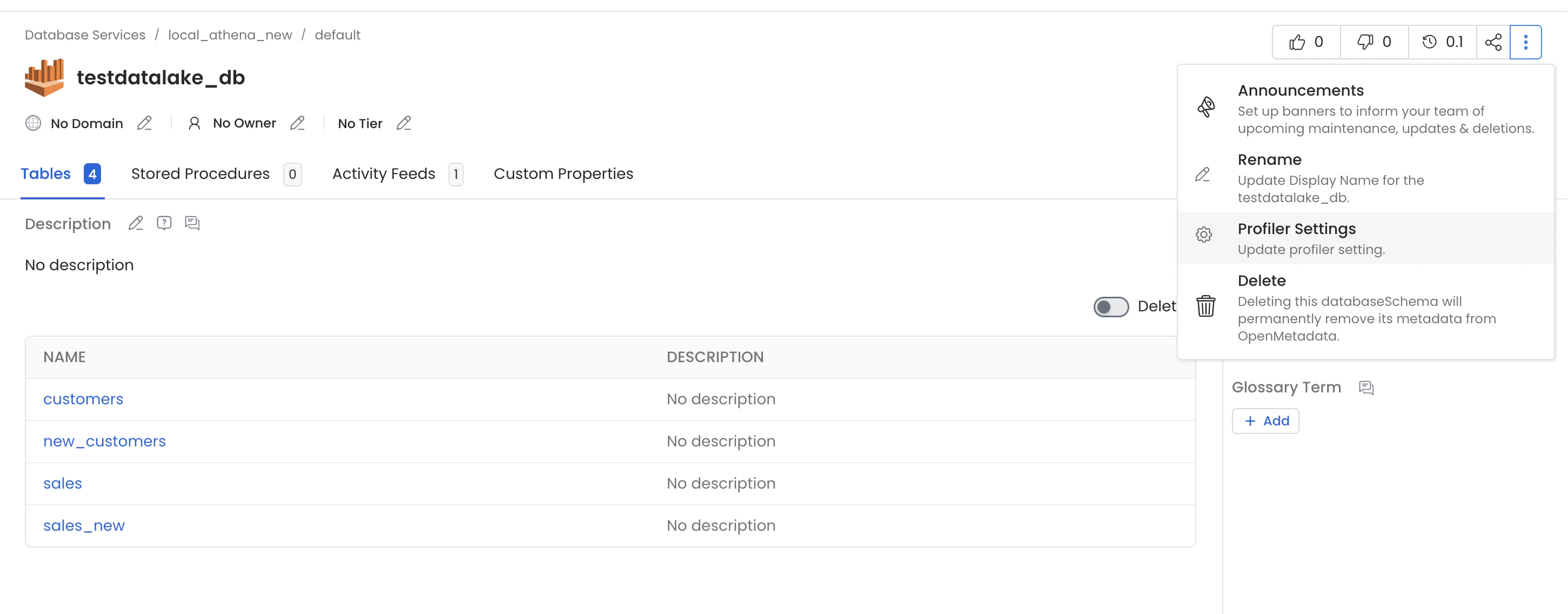
You can configure the Sample Data Storage Credentials at the Database Schema level via theProfiler Settings option from the menu.
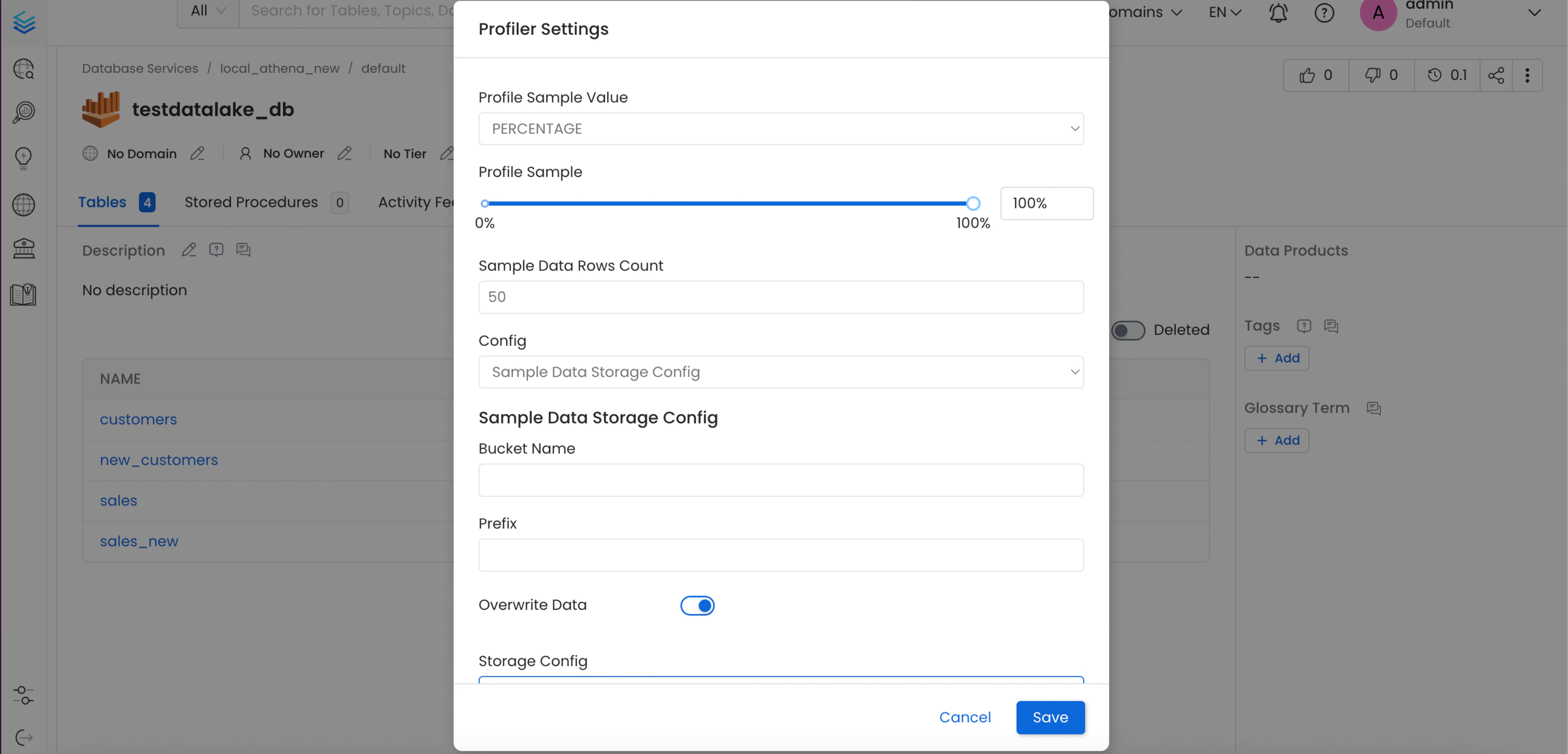
Configuration Details
- Profile Sample Value: Percentage of data or number of rows to use when sampling tables. By default, the profiler will run against the entire table.
- Profile Sample Type: The sample type can be set to either:
- Percentage: this will use a percentage to sample the table (e.g. if table has 100 rows, and we set sample percentage tp 50%, the profiler will use 50 random rows to compute the metrics).
- Row Count: this will use a number of rows to sample the table (e.g. if table has 100 rows, and we set row count to 10, the profiler will use 10 random rows to compute the metrics).
- Sample Data Rows Count: Number of rows of sample data to be ingested, if generate sample data option is enabled.
- Sampling Method Type: The sampling method type can be set to BERNOULLI or SYSTEM. You can find the difference of two values in the document of the Snowflake. When you choice BERNOULLI, it will scan full rows in the table even though small value is set at the Profile Sample. However, it has less restlictions than SYSTEM. If no option is choiced, the default is BERNOULLI.
- Bucket Name: A bucket name is a unique identifier used to organize and store data objects. It’s similar to a folder name, but it’s used for object storage rather than file storage.
- Prefix: The prefix of a data source refers to the first part of the data path that identifies the source or origin of the data. The generated sample data parquet file will be uploaded to this prefix path in your bucket.
- Overwrite Sample Data: If this flag is enabled, only one parquet file will be generated per table to store the sample data. Otherwise, a parquet file will be generated for each day when the profiler workflow runs.
Connection Details for AWS S3
- AWS Access Key ID & AWS Secret Access Key: When you interact with AWS, you specify your AWS security credentials to verify who you are and whether you have permission to access the resources that you are requesting. AWS uses the security credentials to authenticate and authorize your requests (docs).
AKIAIOSFODNN7EXAMPLE), and a secret access key (for example, wJalrXUtnFEMI/K7MDENG/bPxRfiCYEXAMPLEKEY).
You must use both the access key ID and secret access key together to authenticate your requests.
You can find further information on how to manage your access keys here.
- AWS Region: Each AWS Region is a separate geographic area in which AWS clusters data centers (docs).
- AWS Session Token (optional): If you are using temporary credentials to access your services, you will need to inform the AWS Access Key ID and AWS Secrets Access Key. Also, these will include an AWS Session Token.
- Endpoint URL (optional): To connect programmatically to an AWS service, you use an endpoint. An endpoint is the URL of the entry point for an AWS web service. The AWS SDKs and the AWS Command Line Interface (AWS CLI) automatically use the default endpoint for each service in an AWS Region. But you can specify an alternate endpoint for your API requests.
- Profile Name: A named profile is a collection of settings and credentials that you can apply to a AWS CLI command. When you specify a profile to run a command, the settings and credentials are used to run that command. Multiple named profiles can be stored in the config and credentials files.
default.
Find here more information about Named profiles for the AWS CLI.
- Assume Role Arn: Typically, you use
AssumeRolewithin your account or for cross-account access. In this field you’ll set theARN(Amazon Resource Name) of the policy of the other account.
AssumeRole for the ARN of the role in the other account.
This is a required field if you’d like to AssumeRole.
Find more information on AssumeRole.
- Assume Role Session Name: An identifier for the assumed role session. Use the role session name to uniquely identify a session when the same role is assumed by different principals or for different reasons.
OpenMetadataSession.
Find more information about the Role Session Name.
- Assume Role Source Identity: The source identity specified by the principal that is calling the
AssumeRoleoperation. You can use source identity information in AWS CloudTrail logs to determine who took actions with a role.